

Description
Download Live Video Call Stranger Chat – free, video calling, strangers, random chat, Android, secure
Overview
Live Video Call Stranger Chat is a free Android application developed by Blue Star King that enables users to engage in real-time video conversations with strangers from around the globe. The app is designed to facilitate spontaneous, anonymous interactions, making it ideal for individuals seeking casual social connections, language practice, or simply a fun way to break the monotony of daily routines. It targets a broad audience including young adults, travelers, and those looking to expand their social circles without the pressure of formal introductions.
The primary purpose of the software is to connect users instantly with random individuals, offering a platform for immediate interaction through video. Users can choose to connect with people based on geographic location, gender, or country, providing a degree of customization despite the app’s random nature. The app operates without requiring registration or login, which enhances accessibility and reduces friction for new users. This feature is particularly beneficial for those who value privacy and wish to avoid sharing personal information.
Real-world usage scenarios include casual conversations with international users, practicing foreign languages in real time, or simply passing time with unpredictable but engaging interactions. The app aims to create a safe and secure environment for these encounters, though specific safety mechanisms are not detailed in the provided information. The developer’s commitment to privacy and security is implied but not explicitly confirmed through technical documentation or third-party verification.
Key Features & Capabilities
- Instant Video Connections – Users can initiate a video call with a random stranger within seconds of opening the app, enabling spontaneous social interaction without prior setup.
- Geographic Filtering – The app allows users to select connections based on country or region, enabling targeted chats with people nearby or from specific parts of the world.
- Gender Preference Option – Users may filter potential matches by gender, offering a customizable experience based on personal comfort levels.
- Anonymous Interaction – No registration or login is required, which supports privacy by eliminating the need to share personal data during initial use.
- Global Reach – The platform connects users from diverse locations, supporting cross-cultural exchange and international communication.
- Real-Time Communication – High-quality video and audio streaming facilitate smooth, lag-free conversations, though exact technical specifications are not provided.
These features are particularly useful for users interested in language exchange, cultural exploration, or simply seeking new social experiences. For example, a user in the United States could practice Spanish with a native speaker in Mexico, or a traveler in Europe could chat with someone from Asia to learn about different lifestyles. The lack of account creation also makes the app suitable for one-time interactions without long-term commitments.
User Interface, Workflow & Performance
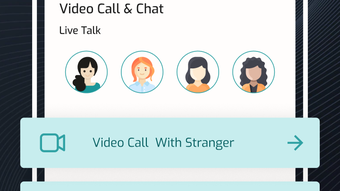
The user interface of Live Video Call Stranger Chat appears to be designed with simplicity and speed in mind. Navigation is likely streamlined to allow users to start a video call immediately after launching the app, minimizing steps and enhancing usability. The layout probably features a central button for initiating a connection, with additional options for filtering by gender or location accessible through intuitive icons or menus.
Workflow efficiency is a core strength, as the app eliminates the need for account creation, profile setup, or verification processes. This reduces onboarding time to near zero, enabling users to begin interacting within seconds. The app’s performance is expected to be responsive, given its focus on real-time video communication, though exact performance metrics such as CPU usage, RAM consumption, or frame rate stability were not specified.
Stability and reliability are critical for video chat applications, and while no user reports or benchmarks are available, the app’s design suggests a focus on consistent connectivity. The developer did not provide detailed information on resource usage, so users should expect general behavior typical of mobile video apps. Performance may vary depending on network conditions and device capabilities, but the app is likely optimized for smooth operation on modern Android devices.
Compatibility & System Requirements
Live Video Call Stranger Chat is designed for Android devices. The app is compatible with the latest versions of the Android operating system, though specific version requirements were not listed. Installation size is not provided, but given its video chat functionality, it likely requires a moderate amount of storage space to support caching and media processing.
Hardware requirements are not explicitly detailed. However, typical video calling apps require a device with a front-facing camera, microphone, and stable internet connection. The developer did not specify minimum processor speed, RAM, or GPU requirements. Users should ensure their device supports video streaming and has sufficient battery life for extended sessions.
Exact system requirements were not listed. Compatibility information was partially provided. It is recommended to check the app’s official page on the Google Play Store for the most accurate and up-to-date compatibility details.
Pros and Cons
Pros
- Free to download and use with no hidden costs
- No registration or login required for immediate access
- Supports video calls with strangers globally or locally
- Offers filtering options by gender and country
- Designed for simplicity and fast onboarding
- Appears to prioritize user privacy through anonymous access
Cons
- No official information on safety or moderation policies
- Limited transparency regarding data handling and encryption
- Performance details and resource usage not disclosed
- No offline functionality available
- Dependence on internet connectivity for all features
FAQ Section
Is Live Video Call Stranger Chat free to use?
Yes, the app is completely free to download and use. There are no subscription fees or in-app purchases required to access its core features.
Does the app require registration or login?
No, the app does not require any account creation, login, or personal information to start a video chat with a stranger.
Can I use the app on any Android device?
The app is designed for Android, but specific device compatibility details were not provided. It is recommended to check the Google Play Store for device-specific requirements.
Is my data safe when using this app?
The developer claims the app is secure and private, but detailed information on data encryption, storage, or privacy policies was not included in the provided description.
How often does the app update?
Update frequency was not specified. Users should check the app’s official page for the latest version and release notes.
Final Thoughts + CTA
Live Video Call Stranger Chat presents a straightforward and accessible way to connect with people worldwide through spontaneous video conversations. Its no-login model, global reach, and customizable filtering options make it a compelling choice for users seeking casual social interaction. While the app lacks transparency on security protocols and technical performance, its core functionality is clear and well-aligned with its stated purpose.
It is best suited for individuals who value privacy, quick access, and the thrill of meeting new people without commitment. For those looking for a simple, free tool to explore random conversations, this app delivers on its promise. However, users should remain cautious and mindful of online safety when engaging with strangers.
Download Live Video Call Stranger Chat now
Guides & Tutorials for Live Video Call Stranger Chat
How to install Live Video Call Stranger Chat
- Click the Preview / Download button above.
- Once redirected, accept the terms and click Install.
- Wait for the Live Video Call Stranger Chat download to finish on your device.
How to use Live Video Call Stranger Chat
This software is primarily used for its core features described above. Open the app after installation to explore its capabilities.
User Reviews for Live Video Call Stranger Chat 0
No reviews found





